
My brother is an inland shipping skipper, and his administration has been a recurring topic between us for years. A long time ago I built him a set of Excel templates: a trip overview with formulas, a layout for invoices. They served him faithfully for years, and to be fair, they were a big step up from loose notes. But they never solved the underlying problem. Every trip still had to be entered in multiple places: in the trip overview, in the charterer’s form, on the invoice, and at the end of the week once more in the weekly statement. The same tonnages, the same dates, the same places, retyped again and again, each time with the risk of a typo you only spot after the invoice has gone out.
So Excel was a band-aid, not a solution. This summer we decided to fix it properly, and I built Vessia together with him: one administration for your inland vessel, where you record something once and reuse the same data everywhere.
What Vessia is
Vessia is a web app for inland skippers who handle their own administration. You record your trips with route, cargo, times and price, and everything else flows from there: the invoice, the charterer’s form, the weekly statement, the gasoil consumption and the reports. Time charters, draft surveys with calibration tables and trip documents are in there too. It runs in the browser on phone, tablet and laptop, so you can enter data on board and invoice from shore.
The central idea is always the same: data you have already entered, you never type again.
Built on Slicekit
Vessia runs, like SendScope before it, on my own Slicekit template. That is starting to become routine, which is exactly the point: the scaffold script ran on July 2nd, and because auth, the admin panel, Stripe billing, email, observability and CI were already in place, nearly all the time after that went into the domain itself. Trips, charterers, invoices, documents and measurements. Within three weeks a working product was live on vessia.app. The stack is the template’s stack: an event-driven .NET 10 API with vertical slices, a typed React 19 SPA, and an Astro marketing site.
The wrong idea first
My first design looked nothing like what stands today. I had a tight step-by-step flow in mind: you arrive at the loading berth and report it in the app, you start loading, you depart, you arrive at the unloading berth, you unload. Vessia would walk you through the trip step by step and collect all the data along the way. Neat, logical, and exactly how a developer imagines sailing works.
My brother shot that down immediately. That is simply not how it works on board. While loading you have better things to do than tap through an app, and underway all sorts of things come up. In practice everything gets scribbled on a scrap of paper, and it gets processed properly in the evening, or sometimes days later.
So the whole design flipped. Vessia does not enforce any order: you can enter things right away when it suits you, but the app is equally built for entering a complete trip afterwards in one go, straight from that scrap of paper. Every screen is designed around that. It may well be the most important design decision in the entire app, and it did not come from me, it came from the wheelhouse.
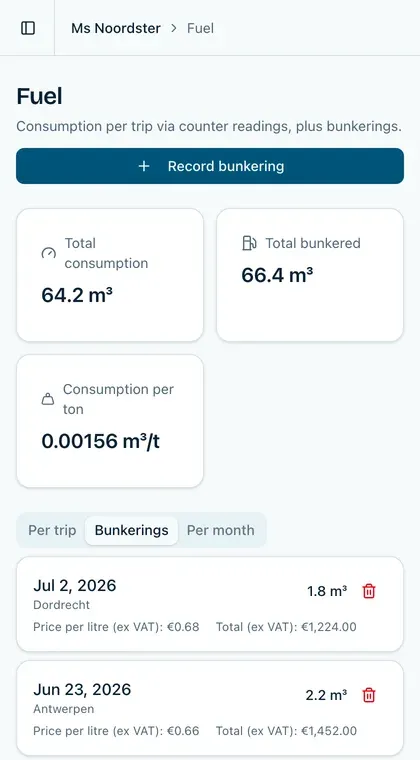
Vessia on the phone, for the moments when entering data right away does work.
The trip at the center
Everything in Vessia hangs off the trip. You record a loaded trip or an empty run with route, cargo, price and times, including multiple loading or unloading sessions in one trip. Recurring work is duplicated in a few clicks.
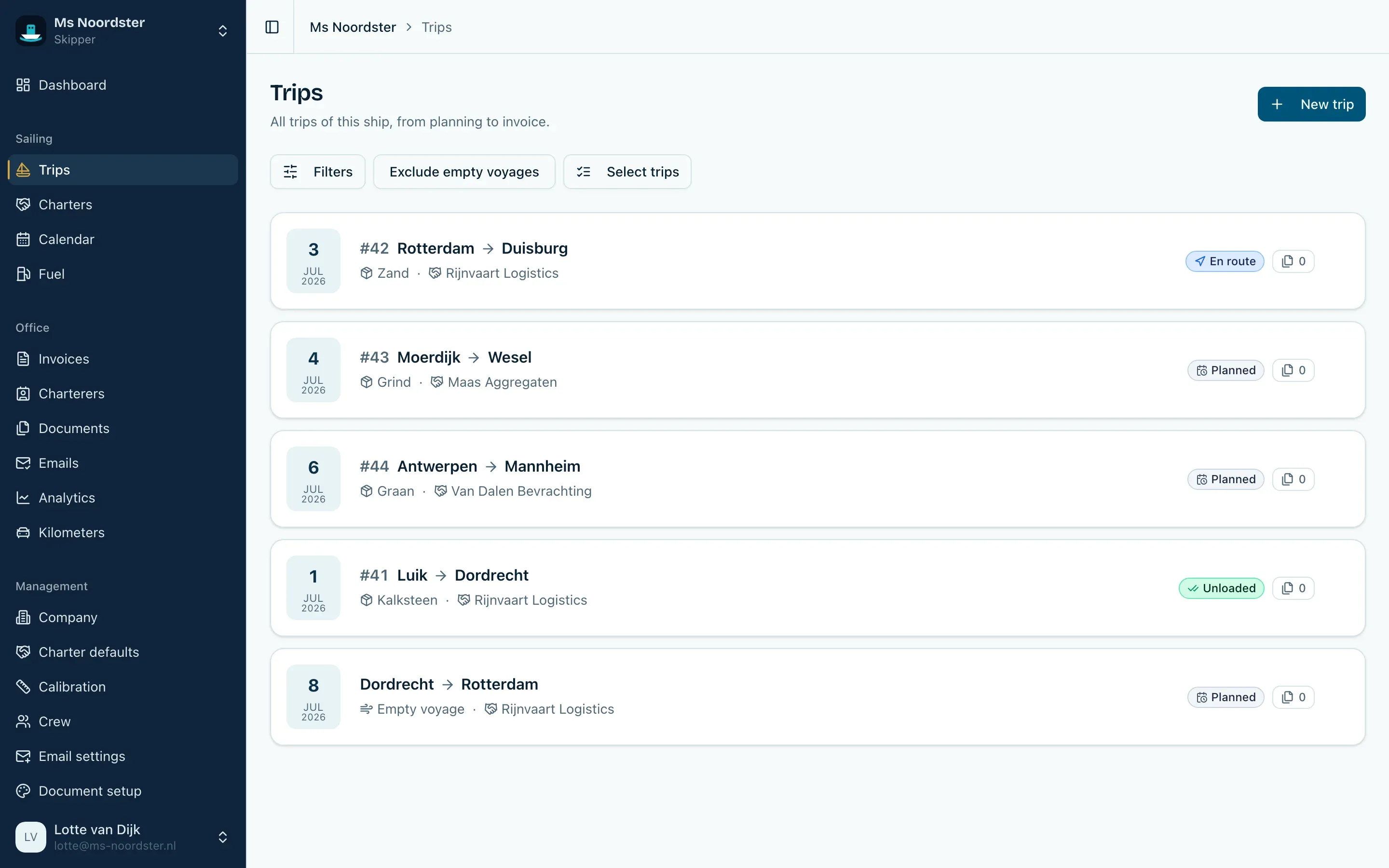
The trips overview: planned, ongoing and completed trips together.
The trip detail page is where everything comes together: loading and unloading sessions, tonnages, bunkerings, measurements, documents and the invoicing attached to it.
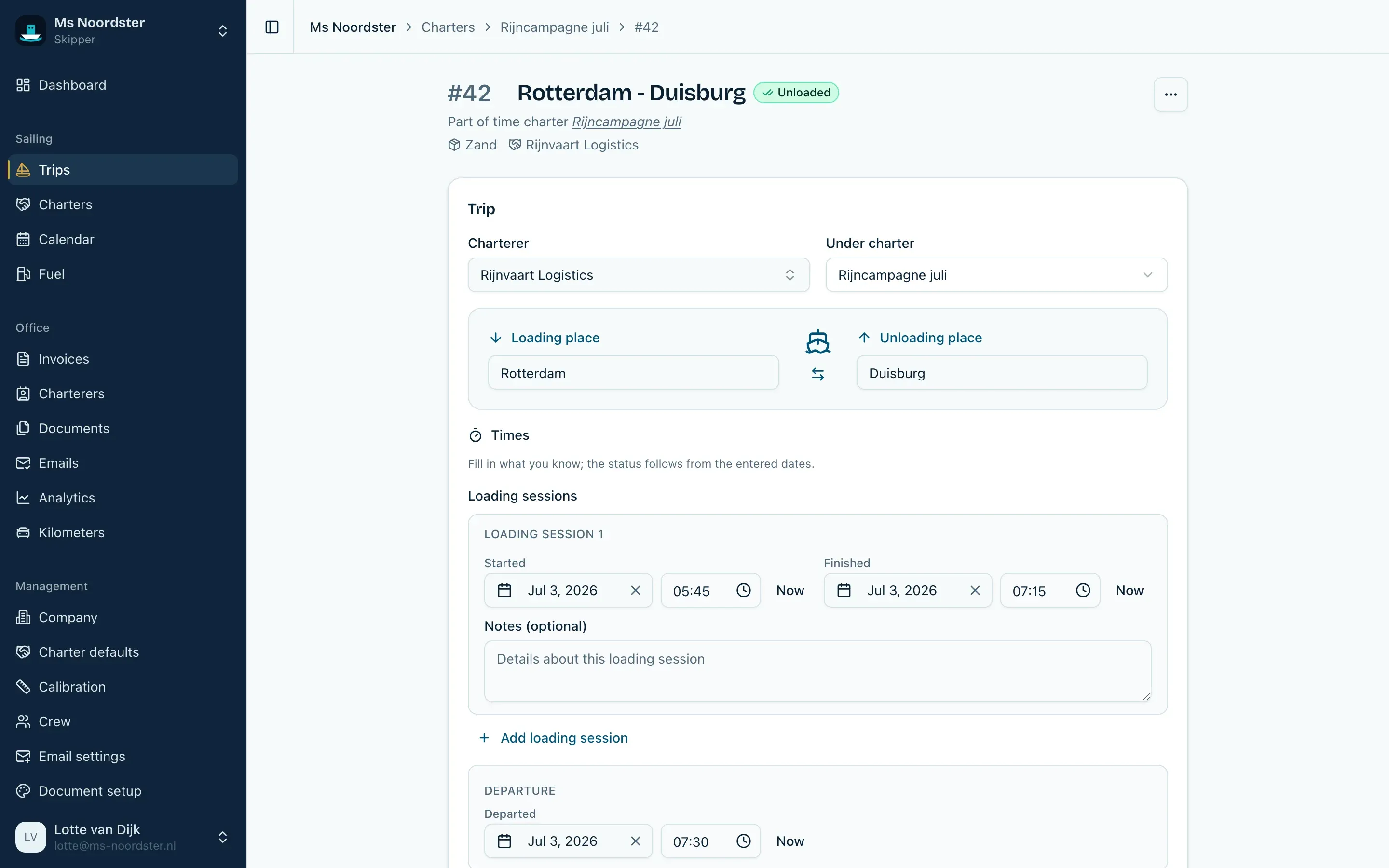
One trip with everything attached: planning, loading and unloading sessions, measurements, gasoil, documents and invoicing.
The calendar shows planned and actual trips on a timeline. You see at a glance which phase every trip is in, and the calendar flags conflicts before you move anything. The dashboard answers the question that used to make the end of the month detective work: what is ready to be invoiced, and who still has to pay?
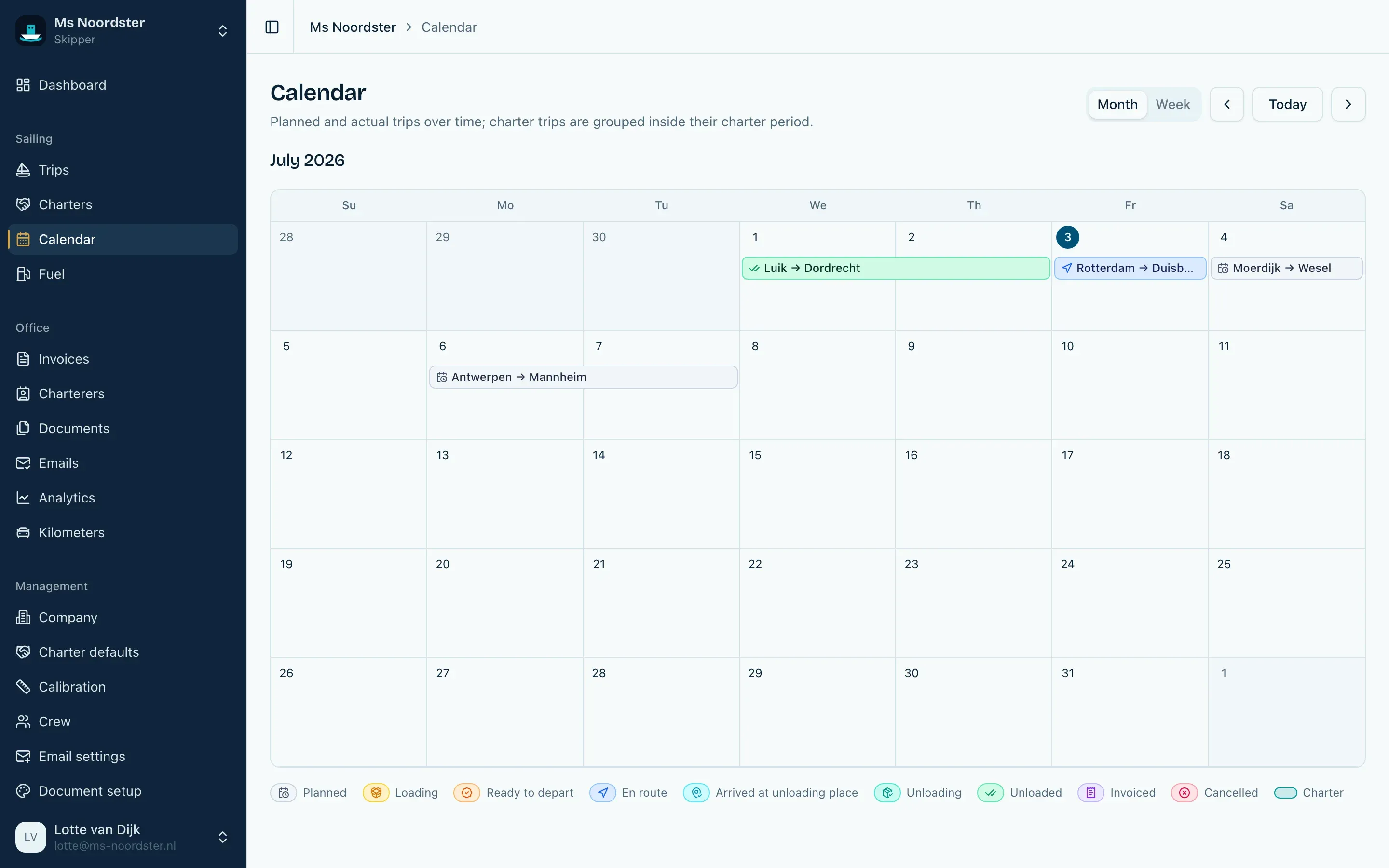
Planned and actual trips over time, with a clear color per phase: checking the status of your trips takes seconds.
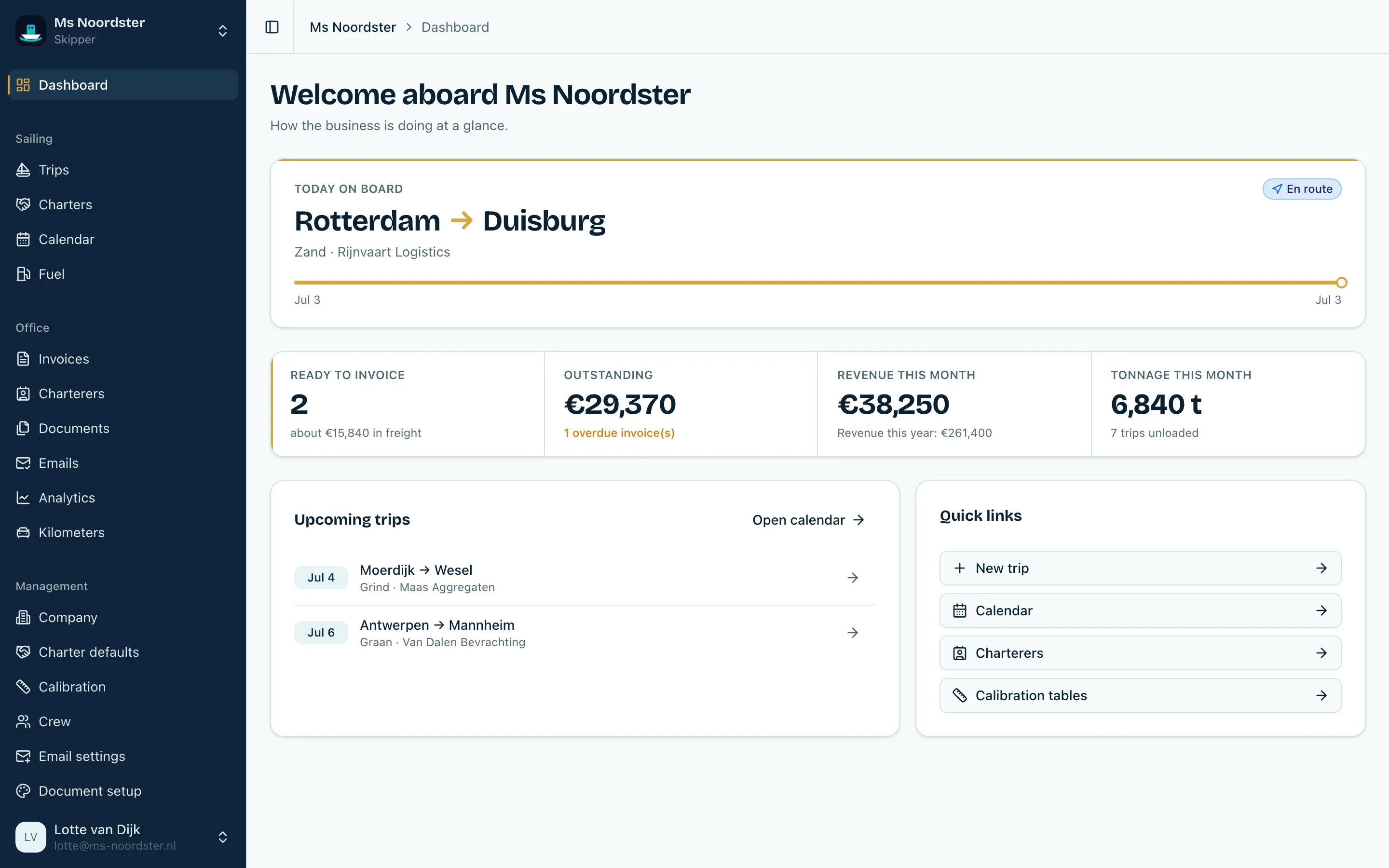
The dashboard: what is ready for invoicing and which invoices are open or overdue.
Your own forms
This is the feature where the double entry really disappears, and it comes straight from my brother’s daily routine. Every charterer has their own form, and he had to fill it out for every single voyage with data that was already in his administration.
In Vessia you upload your existing PDF or Excel form once and point out where the data goes. From then on Vessia fills in the form for you, per trip, week, year, custom period or charter, including custom fields and signatures. Your own form, filled in automatically, without the charterer having to change anything.
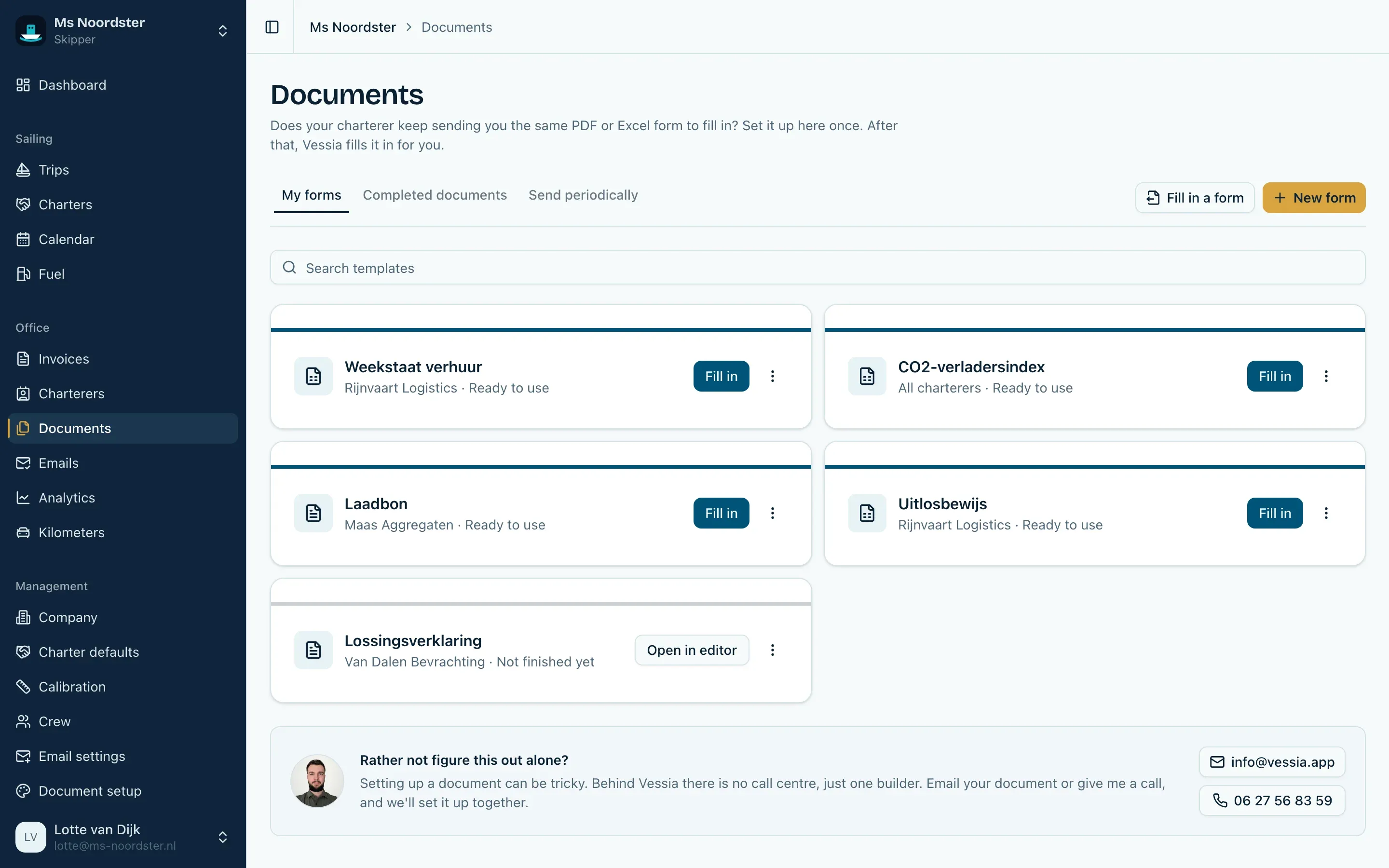
Custom PDF and Excel forms that Vessia refills per trip or period.
Creating a document then takes two clicks: pick the form and the trip, and Vessia pre-fills the trip data. You check it, complete the remaining fields and finalize the document.
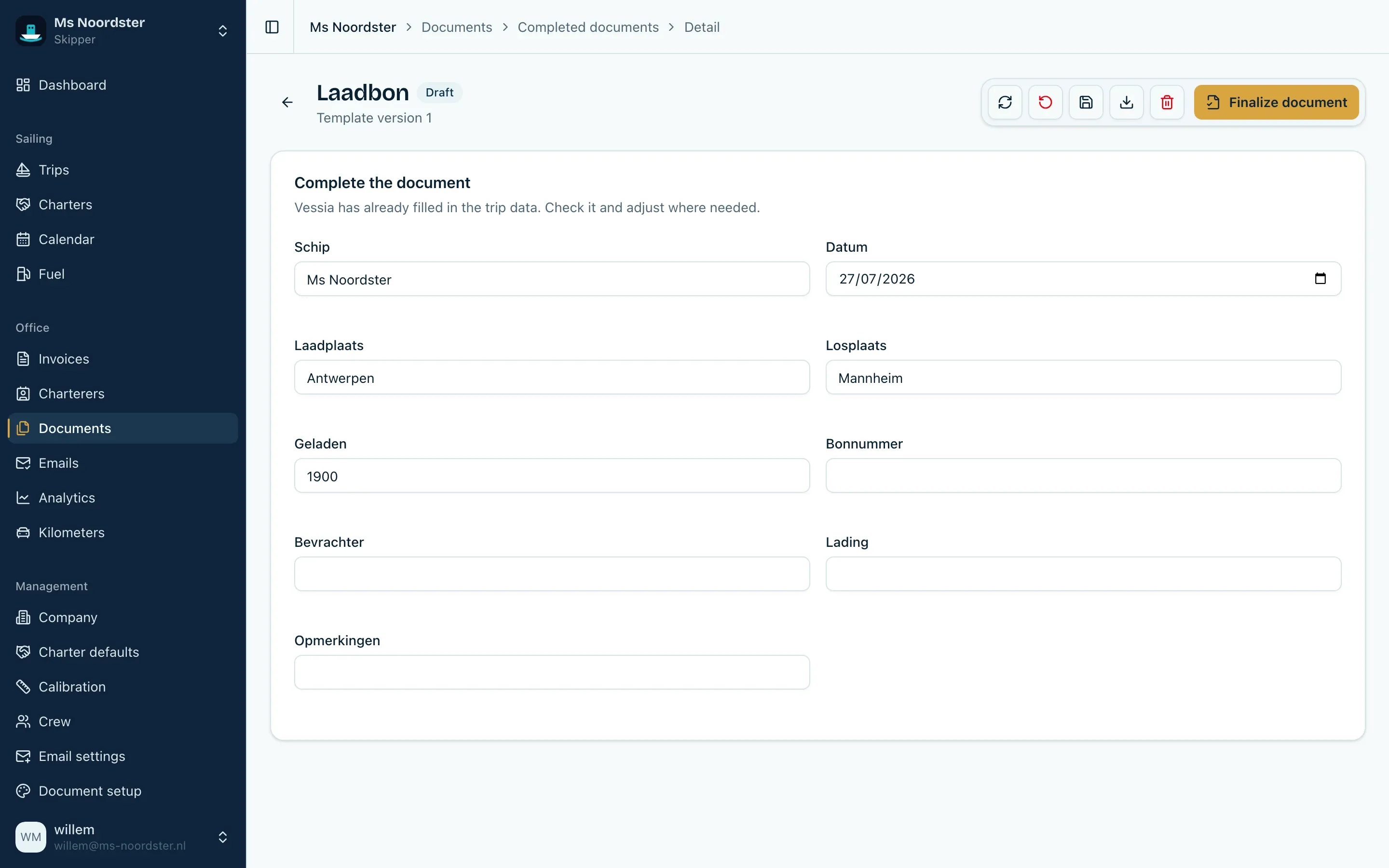
The fill page: the trip data is already there, you complete or adjust the rest where needed.
Trip documents are stored with the right trip, with earlier versions kept available. PDFs can be filled in inside the app with text, checkmarks, images or a signature, and finished documents are emailed straight from Vessia from a verified address on your own domain.
Measurements and calibration tables
When loading and unloading, the cargo weight is determined with a draft survey: you read the vessel’s draft marks and look up the corresponding tonnage in the ship’s calibration table. Until now that meant leafing through a paper table and interpolating by hand.
In Vessia you import the calibration table once, with deadweight and hold capacity. After that you enter the readings and the app calculates the cargo. The calibration form or hold certificate with your own logo and signature is ready to send immediately.
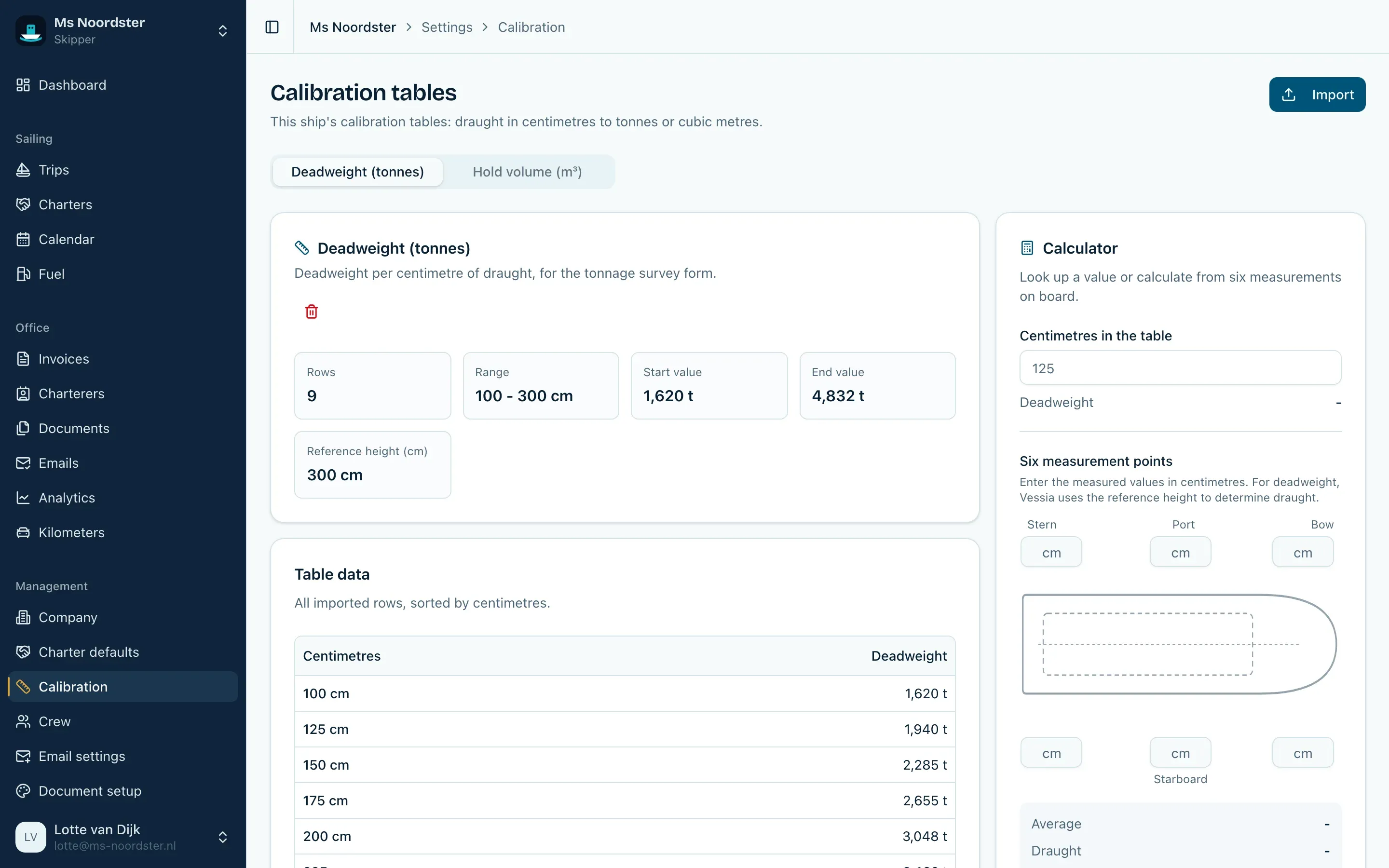
The calibration table as a calculator: enter the readings, get the tonnage.
This is what the result looks like, here with fictional sample data:
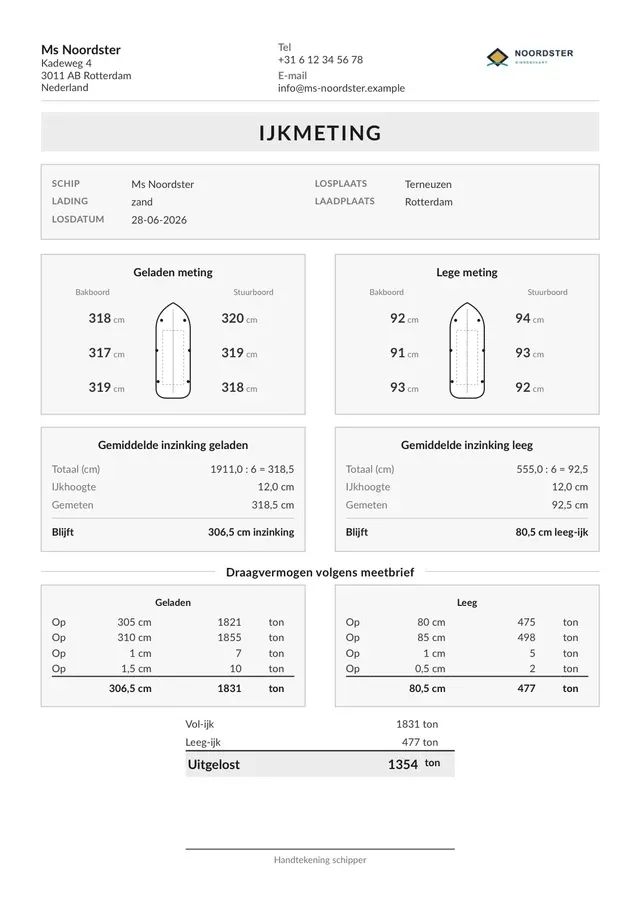
The generated calibration form: readings, calibration table values and the unloaded tonnage, ready for a signature.
Invoices and time charters
Invoices are created from trips, from charters or with manual lines. Vessia proposes the amounts, including the gasoil surcharge according to the agreement you record per trip: an amount per ton, per consumed cubic meter or a fixed amount for empty runs. Per invoice you pick the VAT situation (21% Dutch VAT, reverse charged or out of scope), and Vessia guards the numbering and produces a PDF with your own logo.
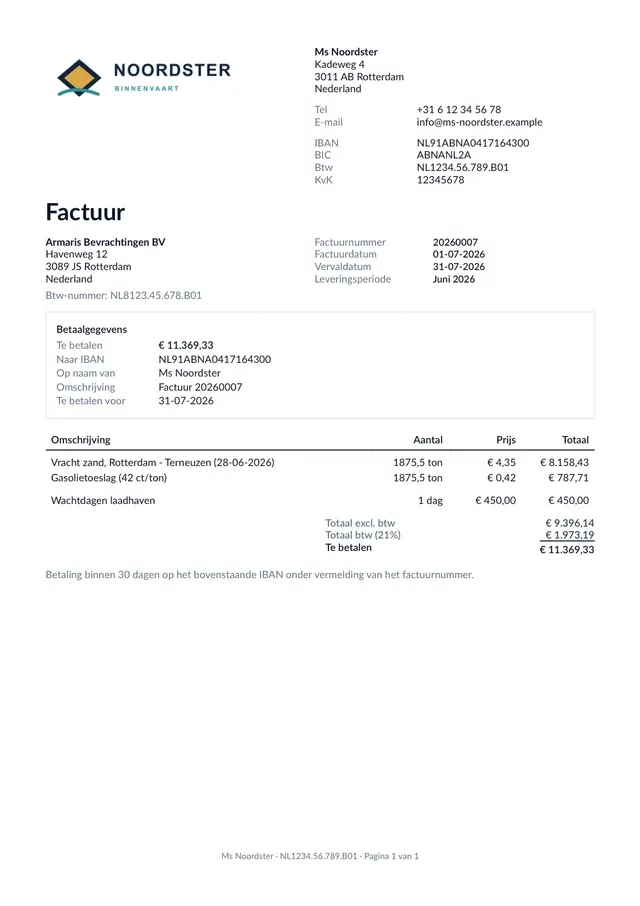
A generated invoice with fictional sample data: freight line, gasoil surcharge and VAT built up automatically from the trip.
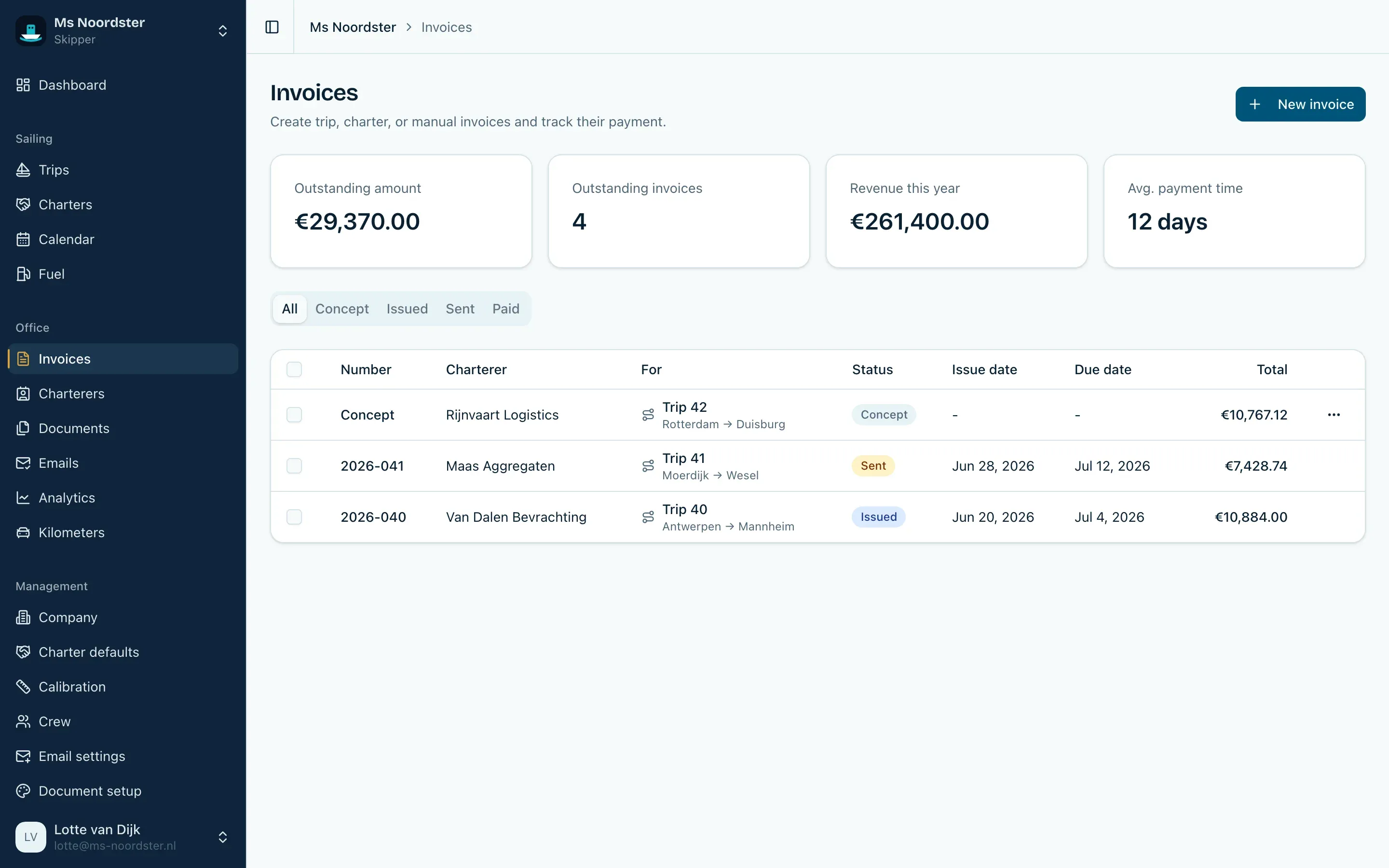
Invoices with their current status: draft, final, sent or paid.
Time chartering is handled separately, because it is a different kind of agreement: a charter with a day rate, a duration and a gasoil compensation, with the trips underneath registered and the option to invoice long periods in parts.
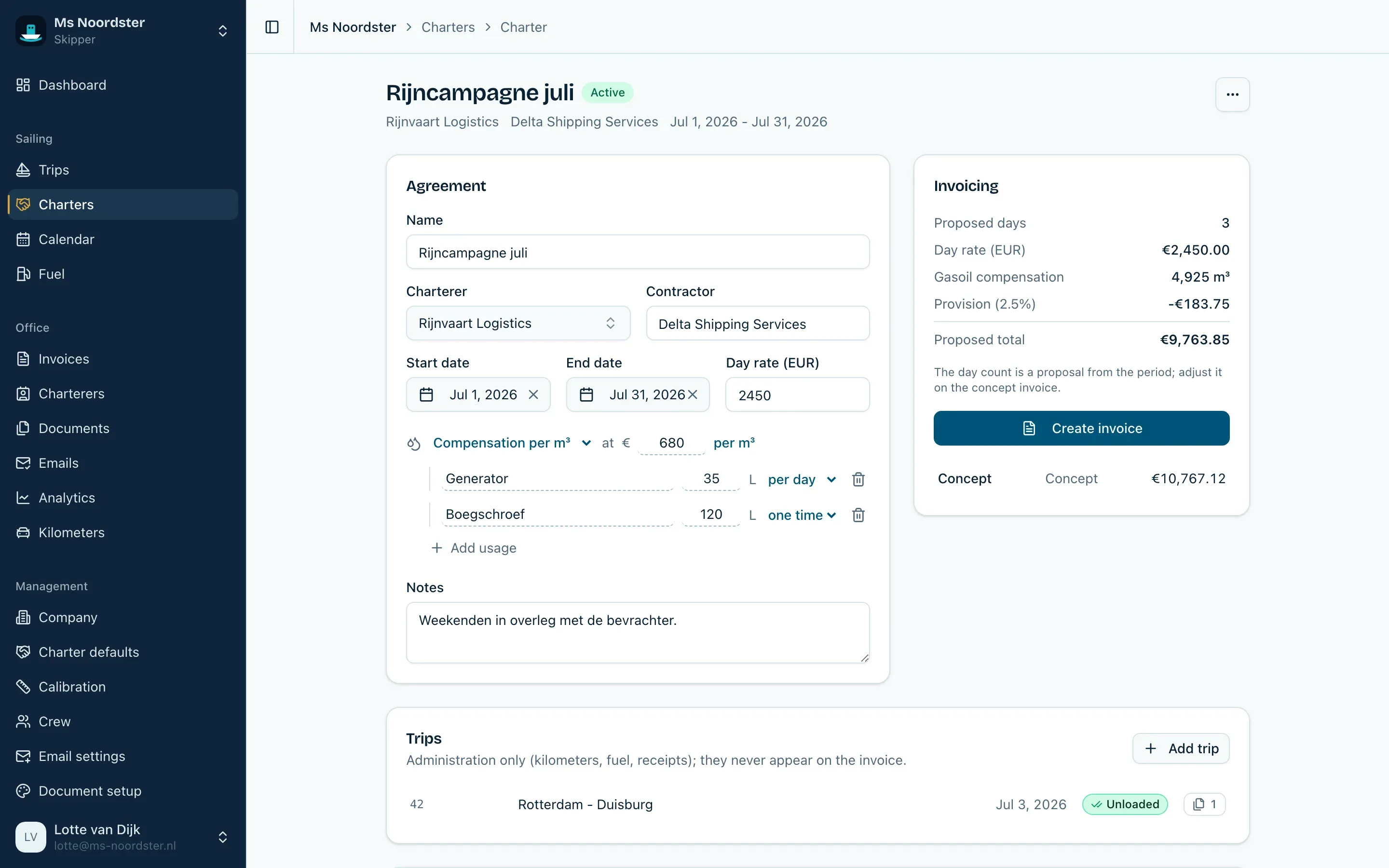
A charter with the agreements, extra fuel, underlying trips and the proposed invoice amount together.
After review you email invoices and documents with attachments straight from the app, and the sending history shows what went to whom and when. That too used to be loose emails from a mail client, with searching afterwards.
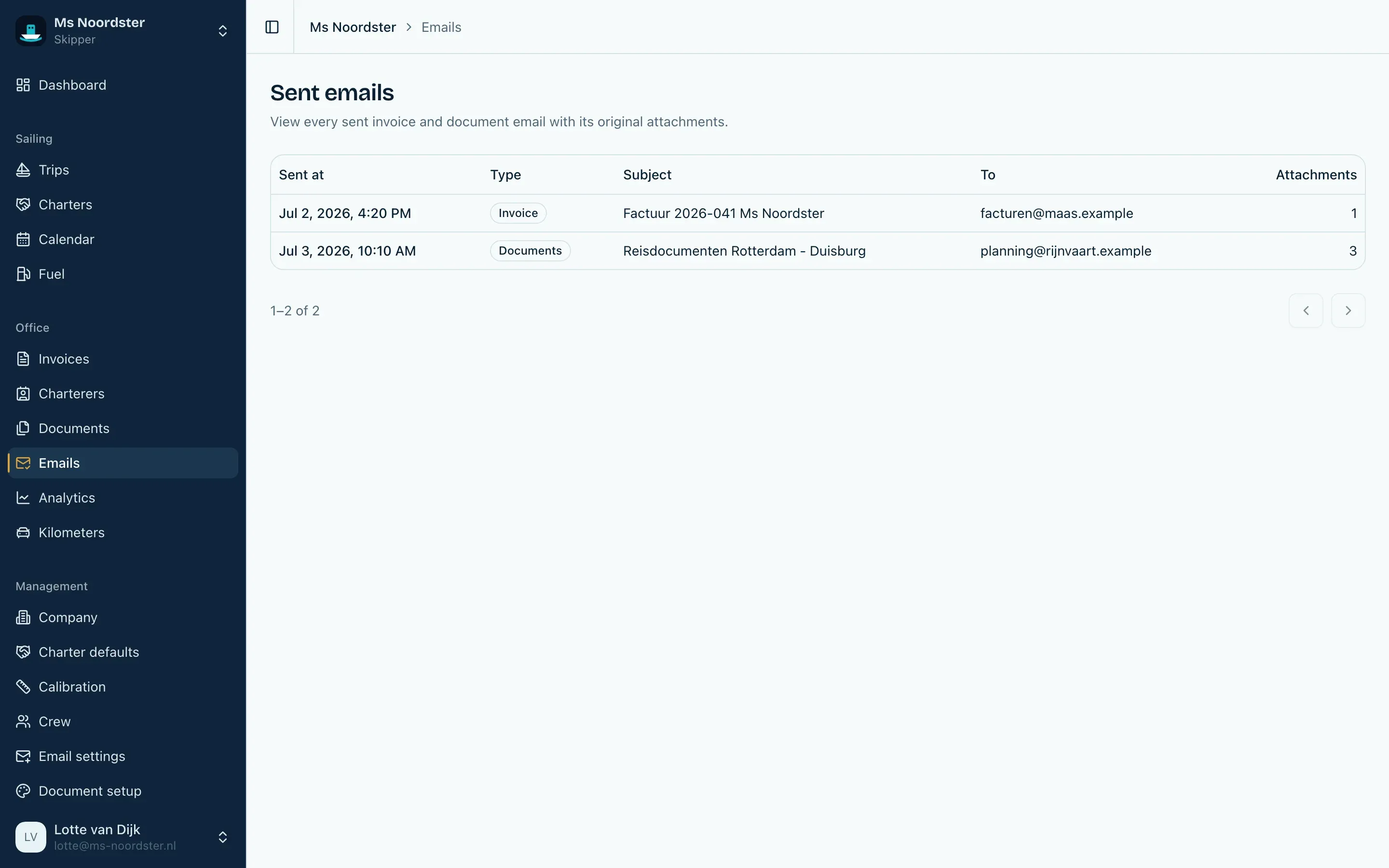
Sent invoices and trip documents stay findable, including attachments.
Everything in your own branding
Everything that leaves the app looks the way you want it to. Your logo, the style of your invoice, the footer text, the layout of the calibration form and the hold certificate, and your saved signatures are configured once and apply everywhere after that. A guided setup walks you through it step by step.
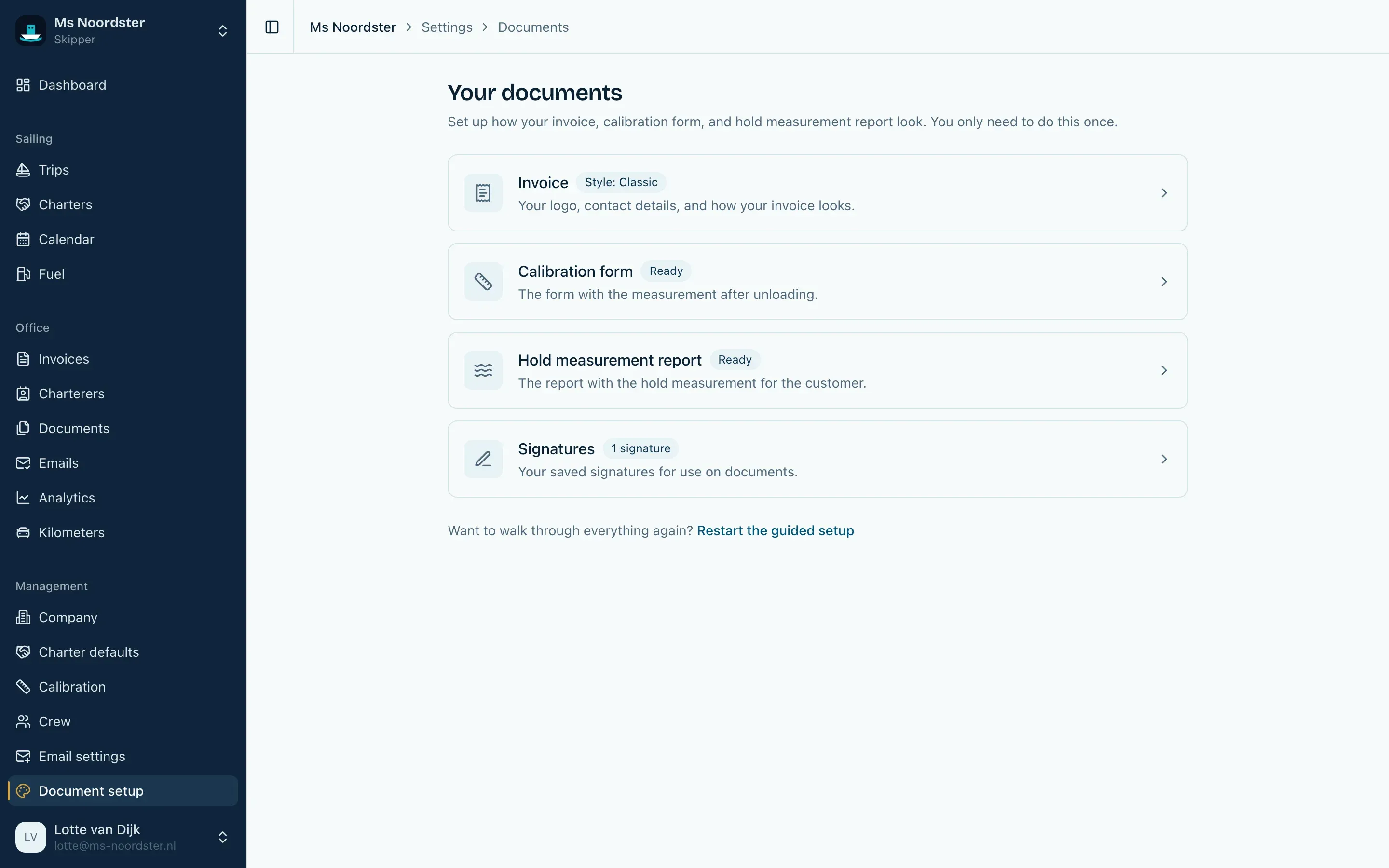
Invoice, calibration form, hold certificate and signatures are configured in one place, with a live preview next to it.
The same goes for email. You work with fixed message templates and send from a verified address on your own domain, so an invoice comes from your company and not from an anonymous system address.
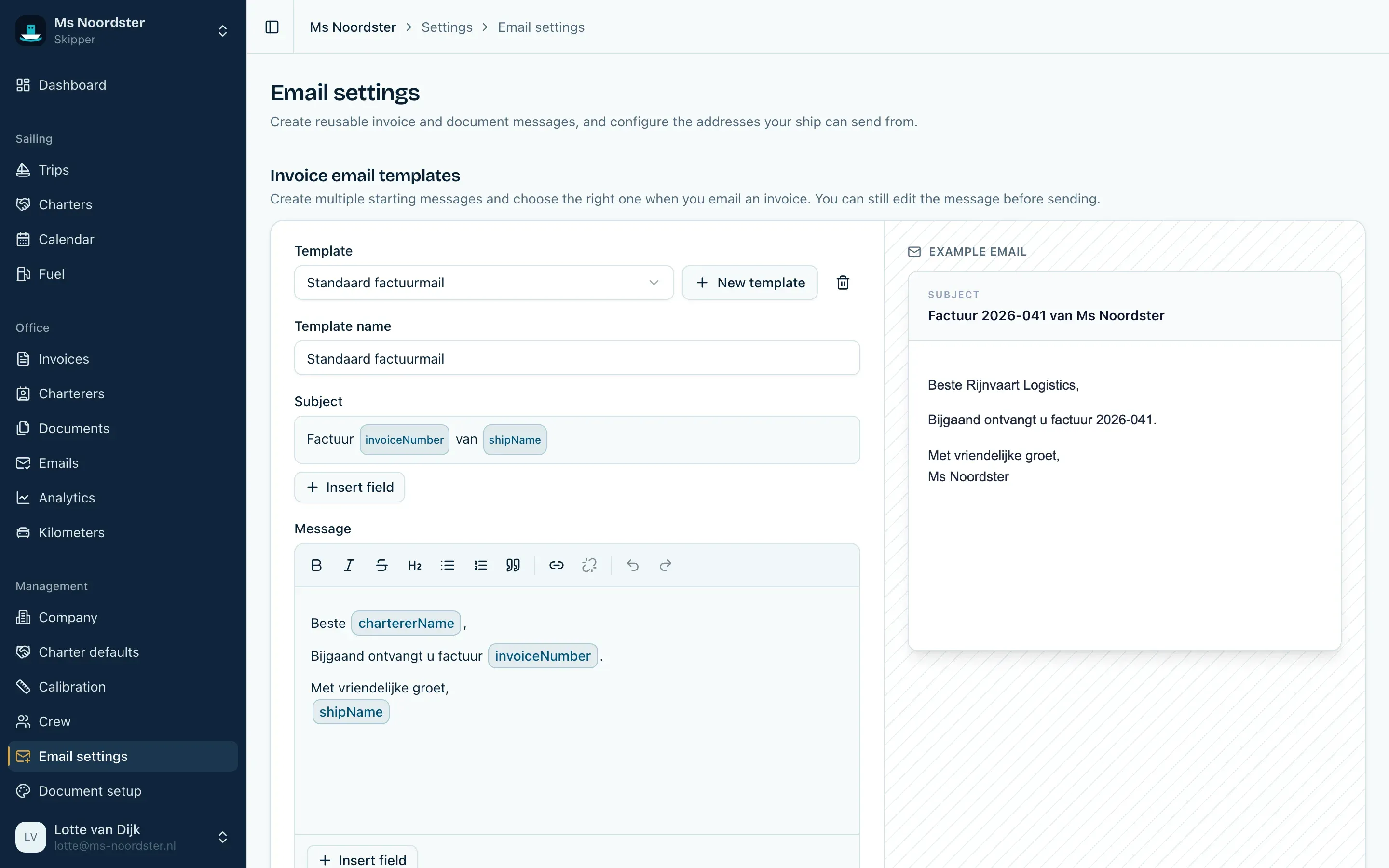
Your own sender and message templates, so every email reads like you wrote it yourself.
The rest of the ship
Around that sits everything else you have to manage for a vessel. Gasoil consumption per trip and monthly totals based on your own meter readings, so you can back up consumption and surcharges.
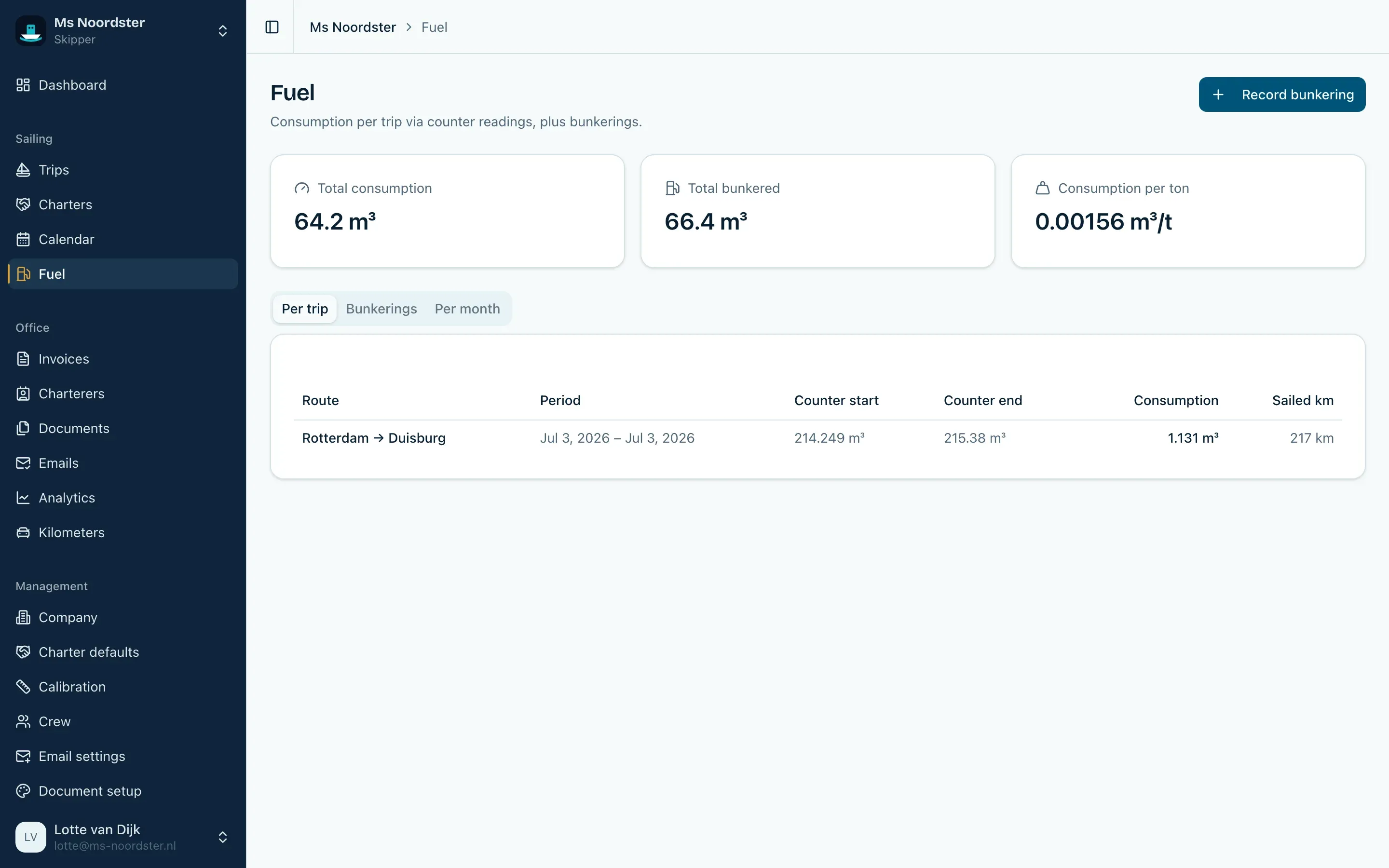
Consumption per trip, bunkerings and monthly totals based on your own meter readings.
Analytics show revenue, tonnage, trips and payment behavior over any period you choose, including what the ship earns.
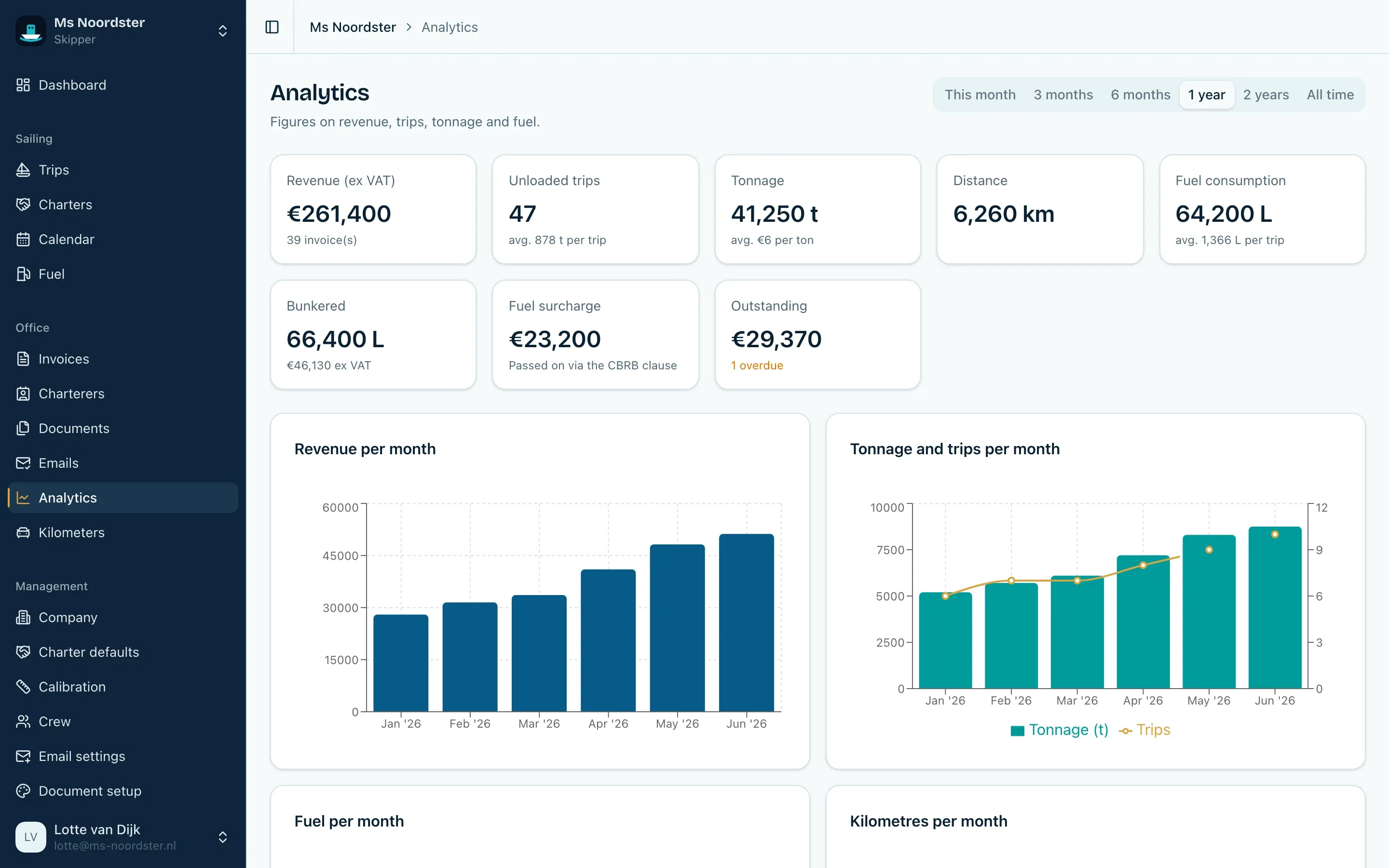
Revenue, tonnage, trips, consumption and payment behavior over the period you pick.
And because a ship is rarely a one-person business: roles per ship. Your accountant sees invoices and charterers, your deckhand sees trips and measurements without financial data, and inviting them is free.
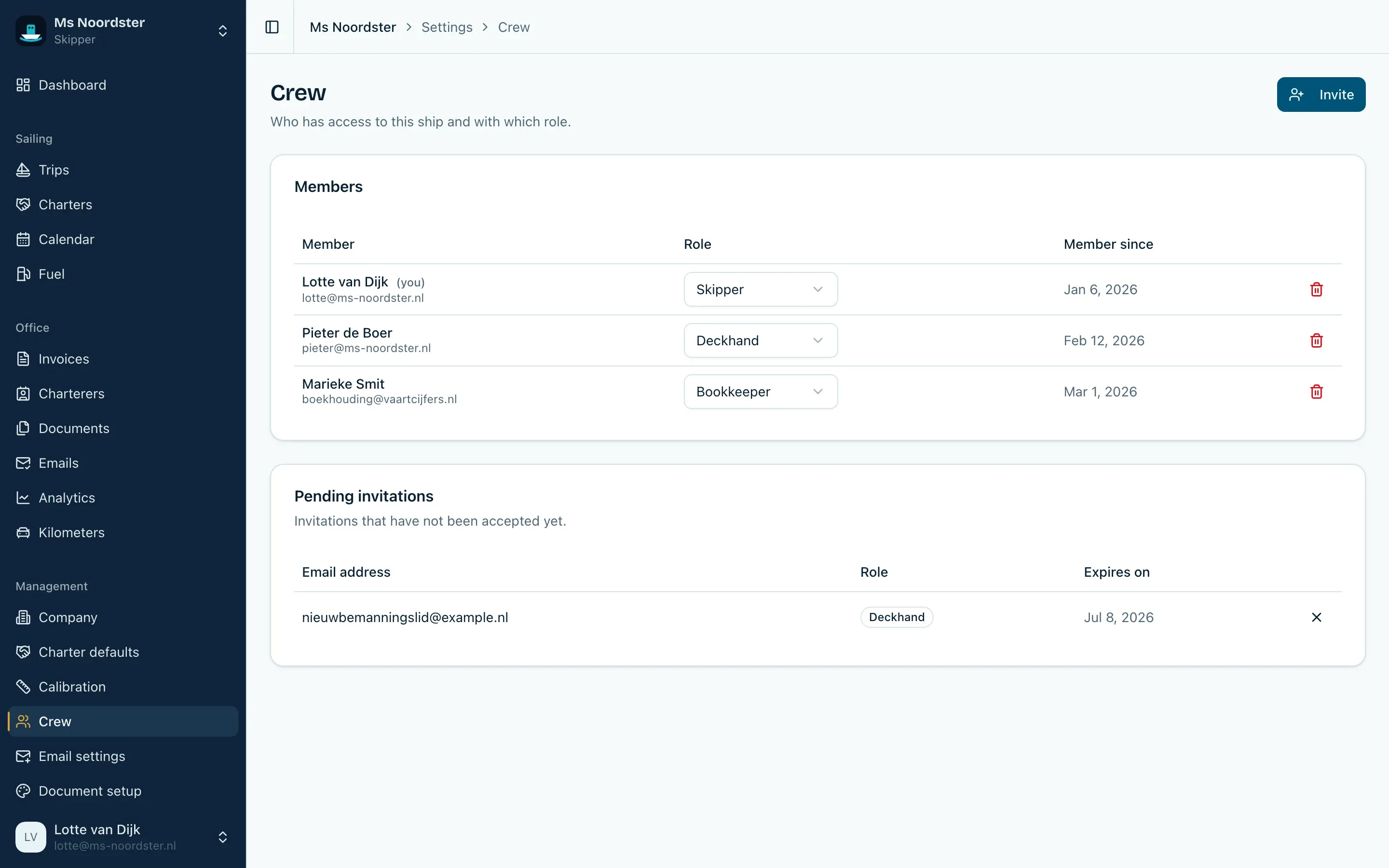
Roles per ship: everyone sees exactly what fits their work.
There is also business kilometer tracking for the car, with odometer photo recognition and a yearly overview. The security comes straight from the template: passkeys, two-factor authentication with recovery codes, session management and a full data export, so you are never locked in.
Evenings of building, days of feedback
Vessia was built in the evenings. During the day my brother sails, in the evenings I built, and in between sat a feedback loop shorter and more honest than anything I had experienced before. He simply used the app on board, with his real trips and his real charterers, and whatever did not work, I heard about right away. Sometimes something I had built one evening was already rejected the next day, because in the wheelhouse it turned out to work just a bit differently than behind my desk.
That loop decided what got built. The forms in the app are his real forms from real charterers. The gasoil surcharge calculates the way his actual agreements work. And features I found logical myself but that did not match the work on board died quickly, just like that first step-by-step idea. That has made the app leaner and more usable than anything I could have designed on my own.
What I learned
Talk to your users before you build, and keep talking while you build. My step-by-step idea died in a single conversation, and that conversation saved me weeks of building the wrong design. The reality on board (a scrap of paper, processed in the evening) was impossible to guess from behind my desk.
A domain expert at your side is worth more than any market research. I knew nothing about hold certificates, calibration tables or gasoil compensation beforehand. I would have built every one of those wrong if I had to invent them myself. Instead I only had to listen carefully and rebuild the existing workflow, rather than impose a new one.
Double entry is not an input problem but a data model problem. That is also why my Excel templates from years ago never truly solved it: every sheet was its own copy of the truth. The solution was not a faster form, but one model in which the trip owns all the data and invoices, documents and reports only reference it. Once that model was right, features like the weekly statement and the form filler practically fell out of it.
The template keeps proving itself. Three weeks from scaffold to live product, with nearly all of that time spent on the domain. It also worked the other way: every rough edge I hit while building Vessia flowed back into Slicekit as an improvement.
A niche market is an advantage. Inland shipping is not a market big SaaS companies rush into, but the problems are just as real and the existing solutions are Excel or nothing. For a single builder with a short line to the target audience, that is a great place to make something that actually matters.
Current status
Vessia is live. You can try it free for 30 days without payment details, and after that there is a single introductory price per month with unlimited ships. Accountants and colleagues are invited for free with their own role. My brother uses it daily on board, and the roadmap is still driven by what happens there.
Know an inland skipper who spends their evenings in Excel? Point them to vessia.app. Have questions or feedback about Vessia? Feel free to get in touch.