
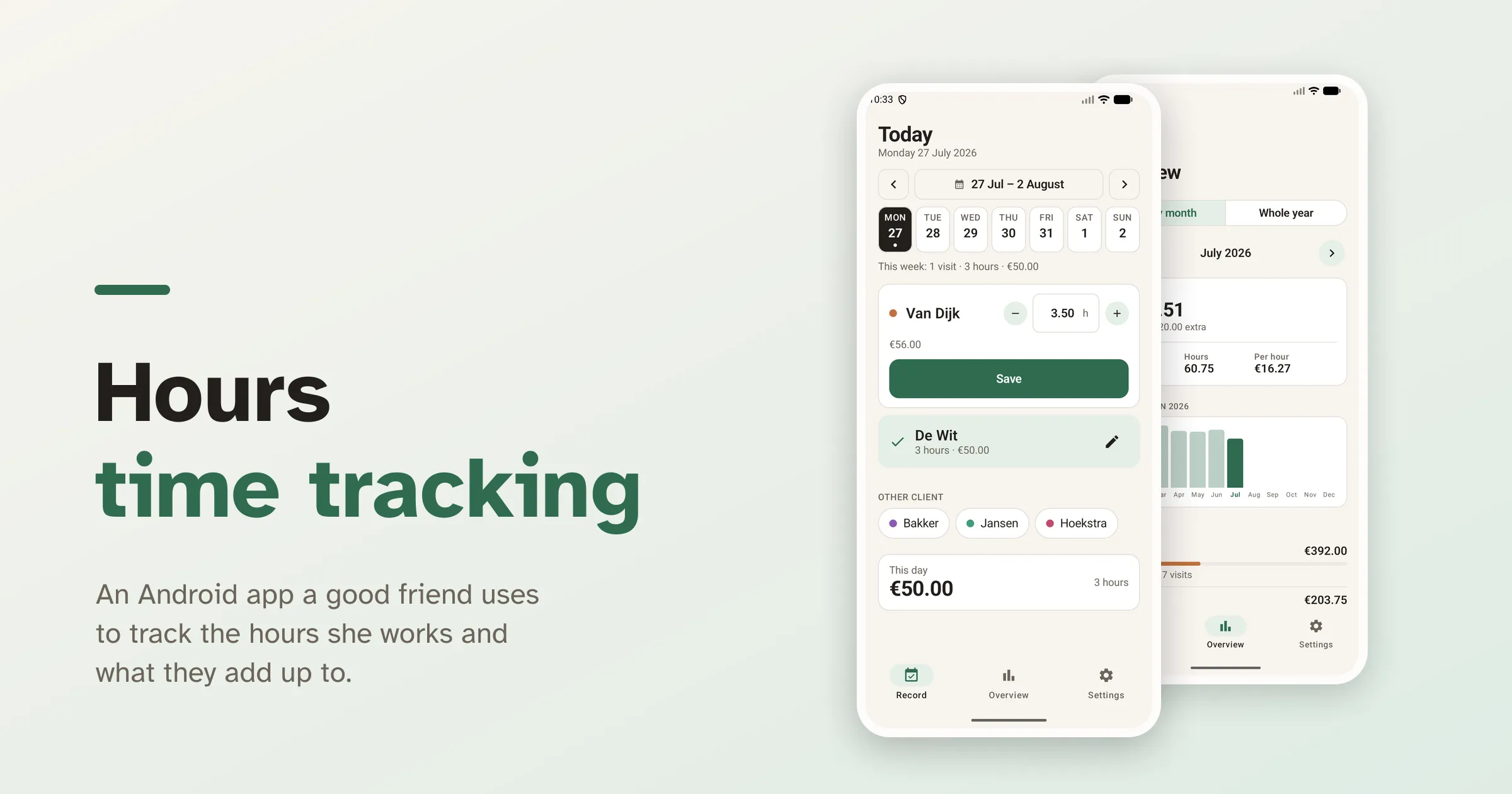
A good friend of mine cleans for a handful of private households. After every visit she wrote in her diary how long she had been there, and at the end of the month she sat down at the computer and typed it all into a spreadsheet. She did that for years, and every round of it cost her an evening.
That evening is the problem, not the tracking. When I opened the file I could see what keeping a spreadsheet by hand does to it over time. Until May the amounts were formulas in the column; after that they were typed out by hand. There were two total rows covering different ranges, and one of them held a #REF!. That is not carelessness. It is what a file looks like after a few years of being extended by hand, and you only notice it if you go looking.
The Problem: Writing Everything Down Twice
The obvious fix is a tidier spreadsheet, with the formulas restored and the totals put right. That would not give her the evening back. The work still gets written down twice: once in her diary, right after the visit, and once at the computer weeks later. The first time is unavoidable. The second is copying, and that is where the time goes.
What stood out when I went through the data is how regular the work is. The same clients, on the same weekdays, for almost the same hours, at the same rate. One is every Monday and Friday, another every other Thursday. Of the 121 visits in that first half year, only a handful differed from the pattern.
That is what the app is built on. If this week looks like last week, the app does not have to ask anything. It can fill the day in itself, and she only changes what was different.
The Solution: Confirming Instead of Filling In
The app opens on Record, and today is already filled in. Every client whose regular day this is sits on the screen with the usual hours and the amount worked out. One tap on Save and the day is done. If it ran long, the − and + buttons shift the total by a quarter of an hour, and the field itself takes any number, so 3.4 hours is no harder to enter than 3.75.
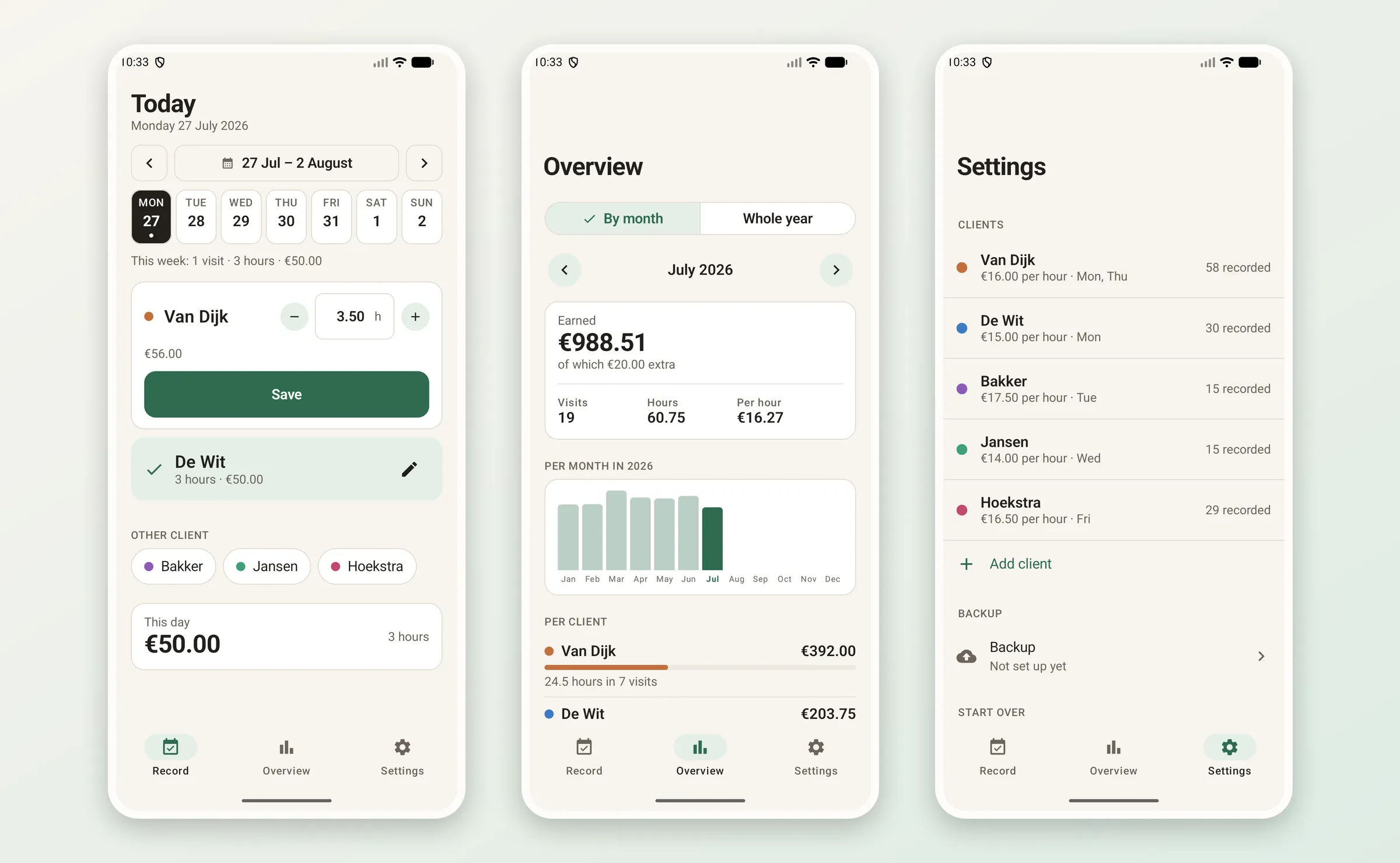
Recording a day, the overview with the monthly chart, and the clients in settings.
Above the cards there is a week strip, with a dot on every day that already has something on it. It scrolls to any week, so catching up on a few days is one tap per day instead of a date picker each time.
The Overview gives the total per month or per year, the number of visits, the hours and what it averaged per hour, with a bar per month and a breakdown per client. Tapping a row jumps to that day, where it can be corrected.
Raising a rate must not rewrite the past
One thing was fixed from the start: every visit stores the rate and the allowance that applied when it was entered. When a client raises their rate, that counts from the next visit onwards. What is already recorded stays as it is.
That sounds obvious, but it is not what a spreadsheet does. A column full of =C4*15 rewrites a whole year the moment you change the hourly rate, and you find out at tax time, when the return no longer adds up.
The backup
All of it lives on one phone. If that phone is lost or breaks, the record goes with it. Android has a backup facility of its own, but it only restores when a new device is set up, and it cannot undo a mistake made this afternoon. So the app sends its own copy away.
Writing a proper API with a database behind it felt like too much for something this small. I already run Nextcloud in my homelab, and Nextcloud speaks WebDAV, so the place to put the backup was already there.
Every upload is a complete snapshot, written as JSON to a WebDAV folder. There is no clever synchronisation. A decade of hours stays well under a megabyte, so every file is complete on its own. That leaves the server side as a plain folder, and restoring as a matter of picking a file.
It uploads at two moments: once a day, so a phone nobody touches still checks in, and fifteen minutes after a change, so an evening of edits ends in one upload rather than five. If something has been sitting on the phone unsaved for more than an hour, the record screen says so, with a button next to the warning. Otherwise you find out the backup stopped working at the point you need it.
The folder is picked by browsing the server rather than typing a path, with a button to create one. Failures come back as sentences instead of status codes: the user name or app password is wrong tells whoever is holding the phone which field to look at, and HTTP 401 does not.
Two things to watch out for with WebDAV on Android
Java’s HttpURLConnection refuses any verb outside HTTP/1.1, and WebDAV needs PROPFIND and MKCOL. The method name has to be written straight into the object’s field, because the setter rejects it.
The second one took longer to find. Over https, Android does not hand back a plain connection but a wrapper that forwards everything to a second object. Setting the method on the wrapper alone leaves the underlying connection on POST, and the server answers 405. So it worked over http and not over https, which did not make it easier to track down. The fix is to walk the delegate chain and set all of them.
The technical foundation
Hours is a native Android app in Kotlin, with Jetpack Compose and Material 3 for the interface and a straightforward MVVM setup with a repository layer. Clients and visits live in a local Room database, WorkManager handles the scheduled upload, and Gson writes the backup format. The whole thing is bilingual, Dutch and English, following the device language.
Two things caught me out along the way. The first is that a release build with R8 renames the field names of your data model, which left Gson unable to read the bundled seed file and crashed the app on its very first launch, in release builds only. The second is that constructing a NumberFormat is expensive enough to notice when you do it per list row: the overview went from 6.97% to 1.95% janky frames by reusing those instances and preparing the dates and clients once per data change rather than once per frame.
Why I built it
Like Garen Collectie, this was not about the technology. There is one user. The evenings in Excel are gone, the totals now come straight out of what she entered on the day, and she is happy with it.
The 121 rows from the old spreadsheet were loaded in once, so the whole year was already there at first launch, matching to the cent what she had tracked by hand. What the repository ships is invented example data; hers stays on her phone and in her backup.
Current status
The app is finished and in use. The backup runs and the hours are in it, so the spreadsheet is no longer needed.
It is open source, so anyone who wants to run it can take the code from GitHub and build it. You throw out the seed file with the example data and fill in your own clients, rates and WebDAV details. The app was written for one situation, but the idea behind it (fixed days, and a proposal you only have to confirm) fits any work that repeats every week. If you want to turn it into something else, you do not have to start from nothing.